


SD Card Repair Fixer
3.6186.00 Reviews
App Specs
- Version
- 10.0
- Updated On
- License
- Free
- Downloads
- 100,000+
- Developer
- Light-APP
- Categories
- Libraries & Demo
- Platform
- Android
Screenshots
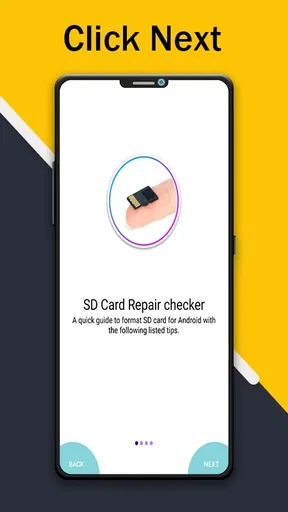
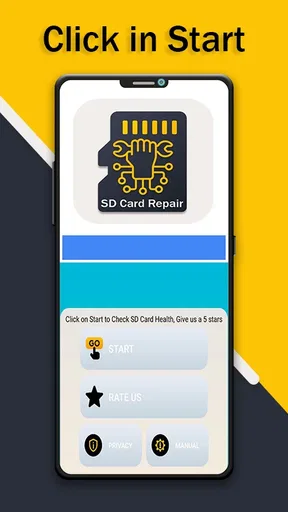
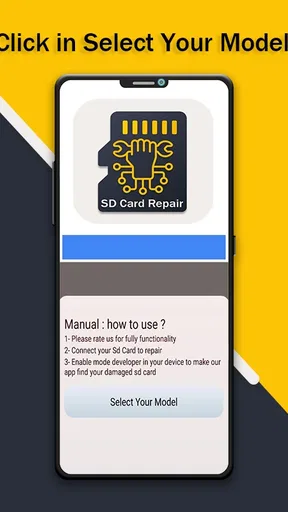
 Analysis by AppCompare
Before choosing an SD card tool, I’d first ask what problem I’m trying to solve: checking whether a phone supports an SD card, trying to access a card that has started misbehaving, or recovering files that have disappeared. Those are related concerns, but they are not the same task, and the right next step depends on which one you’re facing. I’d treat SD Card Repair Fixer as a small first check rather than a guarantee that a damaged card can be restored.
That distinction matters because the app’s stated purpose is to check whether a device supports an SD Card Repair checker. It is a free utility from Light-APP in the Libraries & Demo category, rather than a full desktop-style repair suite. On Google Play it has a 3.6 average from around 4.9 thousand ratings, with over 100 thousand installs. That gives a newcomer some context, but it doesn’t tell me whether the app can solve a particular card problem. I’d use it to explore compatibility and then decide what action is safe.
Start by protecting the card and its contents
If a card contains important photos, recordings, or work files, my first move would be to stop writing new data to it. Taking more pictures, moving files, or repeatedly trying repair actions can make a recovery attempt harder if the card is already failing. I would also avoid formatting it just because a phone suggests doing so. A format may make a card usable again, but it can also remove access to files that have not been backed up.
This is where a simple compatibility check can be useful: it may help answer whether the phone and the intended checker are a reasonable starting point. It should not be confused with a backup, a diagnosis of the card’s physical condition, or a promise that files can be recovered. If the phone cannot read the card at all, I’d first check the card seating and test it in another compatible device or reader before assuming an app can fix the issue.
A realistic moment when it can help
Imagine I’m getting ready to travel and discover that an older phone does not show the SD card I planned to use for extra storage. I can check whether the device supports the relevant SD Card Repair checker, then decide whether to try the card in another device or use a computer-based tool. That is a sensible, low-stakes use: I’m checking the setup before relying on it, not putting my only copy of family photos through an uncertain repair process.
For a card that still opens but has one folder behaving oddly, I’d take a different route. I’d copy everything readable to another location first, confirm that the copied files open, and only then experiment with repair options. This cautious sequence is less exciting than pressing a repair button immediately, but it gives me a fallback if the card becomes less accessible afterward.
Getting Started with SD Card Repair Fixer
First things first, installing the SD Card Repair Fixer app was a breeze. Just a quick hop onto the Google Play Store, and I was good to go. The interface? Super straightforward. You won’t need a degree in rocket science to navigate your way around this app. Everything is laid out in a way that's easy on the eyes and intuitively designed.
Worth Reading Before You Choose

EA SPORTS FC Mobile 26 Is a Bigger Football Game, but It Takes Time

Flipboard Shows What News Apps Must Do Beyond the Feed

Switching to Android Auto Means Rethinking Your Driving Routine

Google Calendar Makes a Crowded Week Easier to Manage

Ludo King Makes the Most of the Minutes Between Plans

Baby Panda World Brings Quick Play to Modern Phones, but Its Game Library Feels Busy
What Does It Actually Do?
So, the app claims to fix corrupted SD cards. Sounds like a tall order, right? I was skeptical at first, but the app walks you through the process step by step. It scans your card for errors and attempts to repair them. What’s cool is that it supports various file systems, so whether your card is formatted in FAT32 or NTFS, you’re covered.
Once you hit the repair button, the app goes to work. It might take a little while, depending on the size of your card and the extent of the damage. So, patience is key here. But the wait could be worth it if it means salvaging your precious photos and files.
Performance and Usability
I tested it out on a couple of SD cards that I had lying around—one that was slightly buggy and another that seemed beyond hope. For the mildly corrupted card, the app worked like a charm. It fixed the errors, and I could access my files again with no hassle. For the more severely damaged card, it made some progress but couldn’t fully restore it. So, while it’s not a miracle worker, it does a decent job with minor to moderate issues.
The app also has a feature to recover files, which is a nice touch. If your card is accessible but you’ve lost some data, this feature might just help you out. Again, results can vary, but it’s definitely worth a shot before you write off your lost files.
When a different kind of tool is the better choice
For a card that appears healthy but has files accidentally deleted, I’d compare this app with dedicated file-recovery software rather than treating repair and recovery as interchangeable. Recovery tools focus on locating files that are no longer visible; repair tools aim to address access or file-system problems. If the missing files matter, I would avoid saving anything new to the card and use a separate destination for recovered copies.
If the card repeatedly disconnects, becomes unreadable across devices, or seems physically damaged, a phone utility is not the option I’d rely on for valuable data. A computer with a card reader may offer a more suitable next diagnostic step, while professional recovery is worth considering when the files are irreplaceable. Those alternatives can take more time or effort, but the trade-off is appropriate when preserving data matters more than getting the card back into everyday use quickly.
There is also a simpler alternative when the contents are already backed up: replace the card instead of spending time trying to restore it. Repair attempts make more sense when the card itself is worth troubleshooting or when a careful copy of its contents is still needed. If the card is old or unreliable, getting it working once should not make me trust it with the only copy of important files again.
Ease of Use
If you’re worried about complicated tech jargon, breathe easy. The app keeps things simple. Directions are clear, and there are helpful tips along the way. Even if you’re not tech-savvy, you’ll find your way around without pulling your hair out.
Practical checks before and after trying it
I’d begin by checking that the phone recognizes the card and that the card is seated properly. If it is not visible, I would not assume that repeated scans will solve the problem; testing it in a different compatible device can help separate a phone-compatibility issue from a card issue. This is a useful distinction because an app cannot make an unsupported device accept a card.
If a scan or repair attempt seems to take a long time, I’d keep the phone steady and avoid interrupting it unless there is a clear reason. After any apparent fix, I would open a few important files and copy them elsewhere rather than judging success only by whether the card’s name appears. A card can become visible without every file being intact, so checking actual contents is the more meaningful test.
One practical trade-off is that a straightforward interface makes it easier to get started, but it may not offer enough explanation for someone who wants a detailed account of every error. That is why I would keep notes about what the phone displayed before trying anything and avoid making several changes at once. If the result improves or worsens, I can then tell which action may have contributed.
Anything Missing?
While SD Card Repair Fixer is pretty solid, it could use a couple of tweaks. For starters, a help section or FAQ within the app would be handy for troubleshooting common issues. Also, a more detailed explanation of the errors found during the scan could give users a better understanding of what went wrong with their card.
That lack of detail matters most when the result is ambiguous. A new user may wonder whether a card is unsupported, unreadable, or simply experiencing a problem that needs another kind of tool. I would not interpret a brief result as a full technical diagnosis. When the files are important, the safer choice is to pause, preserve what can still be read, and seek a more specific route rather than trying random fixes.
Who should try it, and who should pass
I’d recommend it to Android users who want a simple first check around SD Card Repair checker support, especially if they are comfortable treating the result as guidance rather than a guarantee. It may also suit someone who has a spare card to test or who wants to investigate a minor access problem without starting with a complicated desktop workflow.
I’d be more cautious if I were dealing with the only copy of important files, a card that fails across multiple devices, or a situation where I need a clear technical diagnosis before acting. In those cases, the priority should be preserving data and choosing a recovery or diagnostic method designed for that problem. This app is not a substitute for a backup, and a successful check should not be taken as proof that a card is dependable.
The app is free, rated for Everyone, and its current version is 10.0; it was released on July 31, 2019, and requires Android 7.0 or later. Those details make it approachable for compatible Android users who want to try a basic utility without paying, but they do not change the main decision: whether the task is a compatibility check, a repair attempt, or recovery of valuable files.
Final Thoughts
In a nutshell, SD Card Repair Fixer is a handy tool to have in your app arsenal, especially if you’re someone who relies heavily on SD cards. It won’t perform miracles, but it can definitely save you some headaches and possibly rescue important data. The app is easy to use, and even though it might not fix every problem under the sun, it’s a good first step before considering more drastic measures.
So, if you’re dealing with a finicky SD card, give this app a try. You’ve got nothing to lose and, potentially, a whole lot of files to gain back!
My recommendation comes with one important condition: use it as a starting point, not as permission to take risks with irreplaceable data. If you can test on a spare card, or you have a verified backup, it is a reasonable free experiment. If a card holds something you cannot replace, stop writing to it and choose the next step around preserving those files. That careful approach is what makes this simple utility most useful.
Pros
- Easy-to-use interface for quick navigation.
- Supports a wide range of SD card formats.
- Fast scanning and repair process.
- Minimal system resource usage.
- Detailed error reports for troubleshooting.
Cons
- Limited features in free version.
- Occasional false-positive error detection.
- No cloud backup integration.
- Requires internet for full functionality.
- Ads can be intrusive in the free version.
FAQs for SD Card Repair Fixer
What is SD Card Repair Fixer, and how does it work?
SD Card Repair Fixer is an app designed to diagnose and fix common issues with SD cards. It works by scanning the card for errors, repairing corrupted files, and optimizing the card's performance. This app is particularly useful for users experiencing issues like unreadable cards, data corruption, or slow performance.
Is SD Card Repair Fixer safe to use on all types of SD cards?
Yes, SD Card Repair Fixer is designed to be compatible with most types of SD cards, including microSD, SDHC, and SDXC. However, it's crucial to ensure the SD card is not physically damaged. Users should always back up important data before using the app to prevent any data loss during the repair process.
Can SD Card Repair Fixer recover lost files on my SD card?
While SD Card Repair Fixer primarily focuses on repairing and optimizing SD cards, it may help recover some corrupted files during the repair process. However, it is not specifically a data recovery tool. For comprehensive file recovery, users should consider dedicated recovery software in conjunction with this app.
Does SD Card Repair Fixer require an internet connection to function?
No, SD Card Repair Fixer does not require an internet connection for its core functionalities, such as scanning and repairing SD cards. However, an internet connection may be needed for downloading updates or accessing additional online resources and support from the app's developers.
What are the system requirements for installing SD Card Repair Fixer?
SD Card Repair Fixer is compatible with Android and iOS devices. For Android, it typically requires version 5.0 (Lollipop) or higher, and for iOS, it usually supports iOS 10.0 or later. Ensure your device has sufficient storage space and battery life to perform repairs effectively.


